Pins
Pins are at the core of flows, they are used to connect data between nodes and define the order in which nodes should be executed
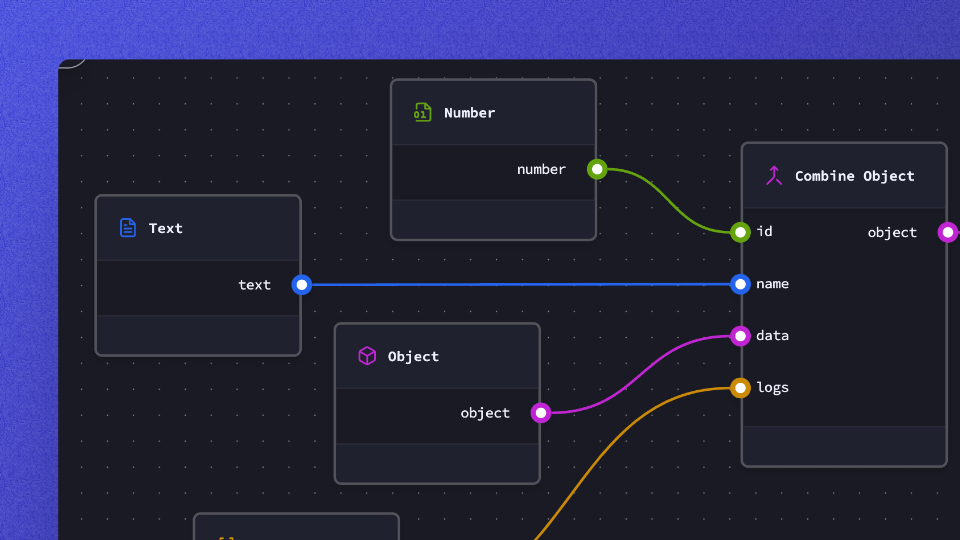
Overview
You can only connect pins that share the same color. Each color defines a data type in forgelab
Basics
Execution pins
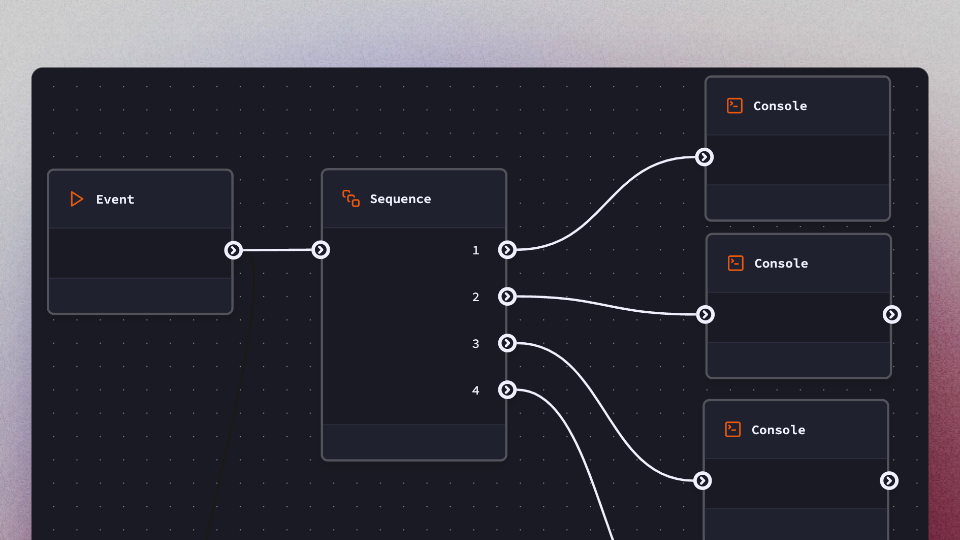 Execution pins are used to define the sequence or nodes to be ran. A node can have multiple input or outputs pins.
Data Pins
There are 5 different data pins in forgelab. Each color represent one type.
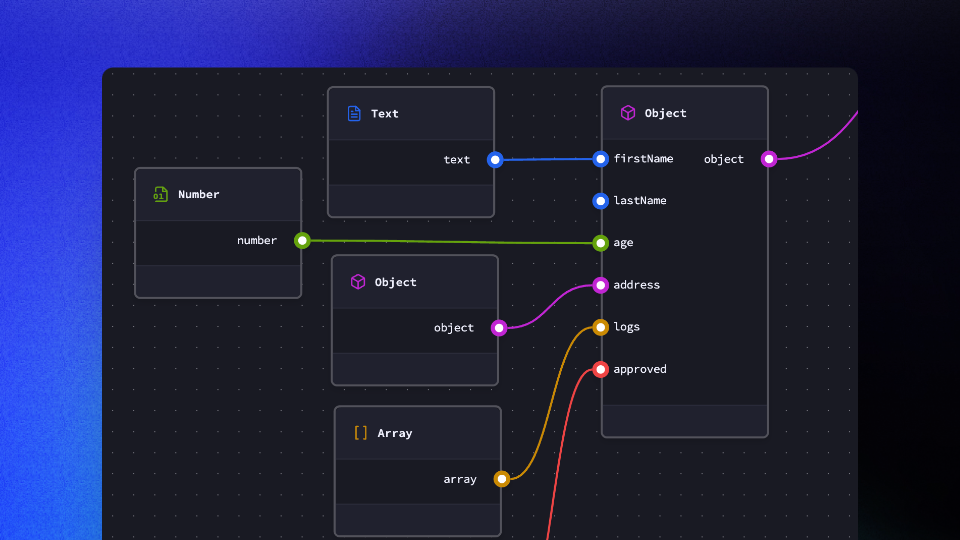
text
The "text" data type represents a sequence of characters, typically used for storing and manipulating textual information.
"message": "Hello, world!"
number
The "number" data type is used for storing numerical values, including integers and floating-point numbers.
"quantity": 10
boolean
The "boolean" data type represents a binary value indicating either true or false.
"isActive": true
object
The "object" data type is a complex data structure that allows you to organize and store multiple key-value pairs.
"person": {
  "name": "John Doe",
  "age": 30,
  "city": "Example City"
}
array
The "array" data type is used to store an ordered collection of values, allowing you to work with lists or sequences of data.
"fruits": ["apple", "banana", "orange"]